How to Log Out Instagram Other Devices
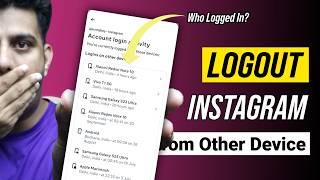
How to Log Out Instagram from Other Devices
Summary
This video tutorial from Informative Media explains how to remotely log out of your Instagram account from any connected devices. It emphasizes the importance of this security measure to protect your account from unauthorized access, especially after using Instagram on shared or public devices. The tutorial provides a clear, step-by-step guide accessible through the Instagram app's settings.
Key Takeaways
* **Security Essential:** Logging out of Instagram on other devices is crucial for account security.
* **Remote Management:** You can view and end active Instagram sessions from any device you have access to.
* **Simple Process:** The steps involve navigating through the Instagram app's settings to the "Where you're logged in" section.
* **Flexibility:** You can log out of individual sessions or all sessions simultaneously.
* **Peace of Mind:** This feature provides assurance that your account is secure.
Detailed Notes
#### I. Introduction & Importance
* **Problem:** Forgetting to log out of Instagram on friends' phones or public computers.
* **Solution:** Remotely logging out from other devices.
* **Benefit:** Ensures account safety and provides peace of mind.
* **Use Cases:**
* Suspected unauthorized activity.
* Routine security checkups.
* Ensuring your account is only active on your intended devices.
#### II. Step-by-Step Guide to Logging Out
1. **Open Instagram App:** Launch the Instagram application on your mobile device.
2. **Navigate to Profile:** Go to your personal profile page.
3. **Access Menu:** Tap on the three horizontal lines (hamburger menu) located in the top-right corner of the screen.
4. **Go to Settings:** Select 'Settings and Privacy' from the menu.
5. **Enter Accounts Center:** Tap on 'Accounts Center'. This is the central hub for managing all your connected accounts.
6. **Security Settings:** Under the 'Account settings' section, select 'Password and security'.
7. **View Active Sessions:** Click on 'Where you're logged in'. This will display a list of all devices and active sessions for your Instagram account.
8. **End Sessions:**
* **Individual Logout:** Select the specific device or session you wish to end and tap 'Log out'.
* **Log Out All:** Scroll to the bottom of the list and choose the option to log out of all sessions at once.
#### III. Conclusion & Call to Action
* **Successful Management:** After following these steps, your Instagram account will be logged out from the selected or all other devices.
* **Feedback Encouraged:** Viewers are encouraged to comment if they were able to secure their account.
* **Content Improvement:** Viewer feedback helps the channel create more useful content.
* **Engagement:** LIKE, SHARE, SUBSCRIBE to the Informative Media channel.
* **Channel Perks:** Information on how to join the channel for access to perks.
#### IV. Channel Information & Contact
* **Channel Name:** Informative Media
* **Content Focus:** Quality Technological Videos.
* **Social Media:** Links provided for Facebook, Twitter, LinkedIn, and Instagram (details omitted in prompt).
* **Business Inquiries:** Email address provided (@ivemedias@gmail.com).
* **WhatsApp:** New WhatsApp number provided (+91-9891784349).
#### V. Related Search Terms & Tags
* The video addresses Hindi queries such as:
* `instagram dusre ke phone se logout kaise kare`
* `apna instagram account dusre phone se kaise hataye`
* `instagram me dusre ki id logout kaise kare`
* `instagram dusre device se kaise logout kare`
* `how to check instagram login devices`
* Suggested YouTube Tags include:
* `how to logout instagram account from other devices`
* `how to remove instagram account from other devices`
* `how to log out insta account from another phone`
* `Instagram logout from other device`
* `how to logout instagram from all devices`
* `instagram account logout from someone phone`
* `Logout other device instagram`
* `logout from another device instagram`
* `check where my instagram is logged in`
* `instagram login activity`
* `remove device from instagram account`
* `instagram security check`
* `log out instagram everywhere`
* `insta logout`
* `instagram`
Related Summaries
![[캡컷PC]0015-복합클립만들기분리된영상 하나로 만들기](https://img.youtube.com/vi/qtUfil0xjCs/mqdefault.jpg)

Why this video matters
This video provides valuable insights into the topic. Our AI summary attempts to capture the core message, but for the full nuance and context, we highly recommend watching the original video from the creator.
Disclaimer: This content is an AI-generated summary of a public YouTube video. The views and opinions expressed in the original video belong to the content creator. YouTube Note is not affiliated with the video creator or YouTube.