Sage X3 MRP processing by order
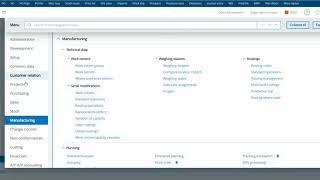
Sage X3 MRP Processing by Order
Summary
This video from "Sage X3 How to Videos" demonstrates how to leverage Sage X3's "product setup by order" feature for stock management to effectively process MRP (Material Requirements Planning) work orders. The core idea is to trigger production or procurement only when an actual customer order is received, thereby optimizing inventory and reducing potential waste. The video walks through the setup required in the product master and then illustrates the MRP run and subsequent work order generation based on a sales order.
Key Takeaways
* **"Product setup by order" is crucial:** This setting in Sage X3 links a product's replenishment to specific sales orders, ensuring that production or procurement is demand-driven.
* **MRP generation is triggered by sales orders:** When a sales order is entered for a "product setup by order," it initiates the MRP process for that specific item.
* **MRP run creates work orders:** The MRP run will then generate planned orders, which are converted into work orders for manufactured items or purchase orders for purchased items.
* **Benefits:** Reduces excess inventory, minimizes stock obsolescence, and ensures production aligns directly with customer demand.
* **Configuration is key:** Proper setup in the Product Master (specifically the "Stock management" tab) is essential for this process to function correctly.
Detailed Notes
**1. Introduction & Core Concept**
* **Objective:** To explain how to use Sage X3's "product setup by order" for stock management and its integration with MRP processing.
* **"Product Setup by Order" Explained:**
* This setting in Sage X3 ensures that replenishment (production or procurement) for a specific product is directly tied to customer sales orders.
* It's a strategy for demand-driven manufacturing and procurement.
* **How it Works:**
* When a sales order is created for an item configured with "setup by order," it acts as a trigger for the MRP.
* MRP then calculates what needs to be produced or purchased to fulfill that specific sales order.
**2. Product Master Configuration**
* **Location:** Navigate to **Setup > Products > Products**.
* **Key Field:** The **"Stock management"** tab.
* **Setting:**
* Select **"By order"** from the dropdown menu. This is the critical setting that enables the demand-driven functionality.
* Ensure other relevant fields like **"Plan method"** (e.g., MRP) are correctly set up for the product.
* **Example:** The video uses a finished good product (e.g., "TSHIRT-STD") and configures it for "By order."
**3. Sales Order Entry**
* **Process:** Create a new Sales Order.
* **Item Selection:** Add the product configured with "setup by order" to the sales order.
* **Quantity and Line:** Enter the required quantity and other relevant sales order details.
* **Impact:** Once the sales order is saved and validated, it becomes a demand signal for MRP.
**4. MRP Processing**
* **Navigation:** Typically accessed via **Manufacturing > Planning > MRP > MRP calculation**.
* **Parameters:**
* The MRP run will consider the newly created sales order as a requirement.
* The "By order" setting tells MRP to plan specifically for this demand.
* **Execution:** Run the MRP calculation.
**5. Work Order/Purchase Order Generation**
* **Output of MRP:** The MRP run will generate **"Planned orders"**.
* **Conversion:**
* For manufactured items (where the product has a Bill of Materials - BOM), the planned order will be converted into a **Work Order**.
* For purchased items, the planned order will be converted into a **Purchase Order**.
* **Linkage:** Crucially, these generated work orders/purchase orders will be linked back to the originating sales order. This provides full traceability.
* **Navigation:**
* Work Orders: **Manufacturing > Production > Work orders**.
* Purchase Orders: **Purchasing > Orders > Purchase orders**.
* **Verification:** Users can check the generated work orders/purchase orders to confirm they are associated with the sales order and contain the correct quantities and components/materials.
**6. Benefits and Conclusion**
* **Reduced Inventory:** Production and procurement only happen when there's a confirmed customer order, minimizing the risk of holding excess stock.
* **Minimized Obsolescence:** Avoids producing items that might not be sold.
* **Improved Cash Flow:** Less capital tied up in inventory.
* **Accurate Planning:** Ensures production capacity and material availability are aligned with actual demand.
* **End-to-End Traceability:** The linkage from sales order to production/procurement provides clear visibility.
**Note:** The video implies that the necessary BOMs and routing information are already set up for the manufactured products. The focus is solely on the "by order" stock management aspect and its MRP implications.
Related Summaries
![[캡컷PC]0015-복합클립만들기분리된영상 하나로 만들기](https://img.youtube.com/vi/qtUfil0xjCs/mqdefault.jpg)

Why this video matters
This video provides valuable insights into the topic. Our AI summary attempts to capture the core message, but for the full nuance and context, we highly recommend watching the original video from the creator.
Disclaimer: This content is an AI-generated summary of a public YouTube video. The views and opinions expressed in the original video belong to the content creator. YouTube Note is not affiliated with the video creator or YouTube.