System Design for Beginners Course
System Design for Beginners Course - freeCodeCamp.org - Notes
1. Summary
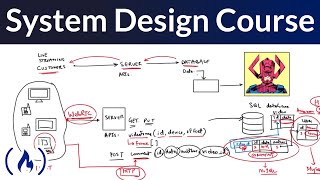
This course by Gaurav Sen provides a comprehensive introduction to system design for software developers and engineers, focusing on building large-scale, distributed systems. It covers fundamental concepts like requirement selection, API design, database design, network protocols, fault tolerance, design trade-offs, and low-level design. The course uses a live streaming video app as a practical example to illustrate these concepts.
2. Key Takeaways
* **System Design Fundamentals**: Understanding system design is crucial for building large-scale, distributed systems that can handle millions of users.
* **Design Patterns**: Engineers use design patterns to convert business requirements into reliable, scalable, and maintainable technical solutions.
* **Live Streaming Example**: The course uses a live streaming video application to demonstrate the practical application of system design principles.
* **Key Considerations**: Important aspects of system design include requirements, APIs, database design, network protocols, fault tolerance, extensibility, and testing.
* **Low-Level Design**: This involves creating code and making detailed choices about services and how they interact.
3. Detailed Notes
#### 3.1. What is System Design
* **Large-Scale Distributed Systems**:
* **Large-scale**: Systems used extensively in terms of compute, data, or other computer engineering principles. (e.g., Google Maps)
* **Distributed**: The program's execution code is not in one place but distributed globally. (e.g., multiple servers for fault tolerance and performance)
* Engineers need to understand system design principles to build these systems.
* **Design Patterns**: Specific practices, principles, or processes used by engineers.
* Help convert business requirements into technical solutions. (e.g., Publisher-Subscriber model)
#### 3.2. Example: Live Streaming System Design
* **Requirements (User's Perspective)**:
* Streaming video.
* Processing video.
* Sending video to multiple customers.
* Broadcasting without failures.
* Showing advertisements, reactions, and disclaimers.
* Graceful degradation of video quality.
* Multiple device support.
* **Core Requirement**: Streaming the video.
* **Data Definitions**:
* **Video**: Has an ID, name, size, and data (frames).
* **Comments**: Have an ID, user ID, timestamp, comment data, and video ID.
#### 3.3. API Design
* **Client-side interaction and server's API:**
* **Get video frame**: Using video ID and timestamp.
* **Post comment**: Contains author, comment data, and video ID.
* These are very similar to method signatures, using a network protocol (e.g., HTTP, gRPC).
* APIs are tested before implementation to avoid any issues.
#### 3.4. Engineering Requirements
* **Fault Tolerance**: Implementing systems to prevent failures. (e.g., multiple servers in different geographical locations, data duplication.)
* **Extensibility**: Designing solutions that are easily changeable and scalable. (e.g., avoiding highly coupled code.)
* **Testing**: Testing designs before starting coding. (Capacity estimation to see whether this design is feasible)
#### 3.5. Network Protocols
* **HTTP** for comments (stateless).
* **WebRTC** for video frames (peer-to-peer, realtime efficient).
* **MPEG-DASH** (Dynamic Adaptive Streaming over HTTP): Protocol that adapts the video quality based on the user's bandwidth.
* **HLS**(HTTP Live Streaming) useful for IOS or MAC devices
* Use TCP for reliable and UDP for a realtime and efficient protocol.
#### 3.6. Database Design
* Choosing database solutions and considering trade-offs.
* **Video**: Stored in a file system (e.g., HDFS, S3).
* **User/Comment Table**: Can use SQL databases (e.g., MySQL, PostgreSQL).
* **Comment Storage**:
* A NoSQL database is better for scale, and allows the storage of data in a key-value fashion.
#### 3.7. Video Transformation
* Raw video footage needs to be transformed into various resolutions and formats.
* Break the video into 10-second segments.
* Run each segment through multiple processing programs for different resolutions and formats.
* Map-Reduce pattern: Distribute segments to different servers for processing.
#### 3.8. Content Delivery Networks (CDNs)
* Use CDNs for static data to improve performance and reduce server load.
* CDNs handle authentication challenges for large-scale systems where performance is key.
* Good approach to deploy webpages and static media.
#### 3.9. Low-Level Design
* Focuses on the internal functionality of services and how they interact (user side for consumption).
* **Use Case Diagram**:
* **Actors**: Admin, Videographer, Customer.
* **Use Cases (Customer)**: Play video, Start watching a video from a timestamp, View video at maximum quality allowed by the network and device, Continuously buffer video.
* **Class Diagram**:
* **Video**: id, array of frames, metadata.
* **User**: id, name, email.
* **Watched Video**: ID, video ID, user ID, seek timestamp.
* **Video Consuming Service**: get frame, API 1, API 2.
#### 3.10. Sequence Diagram: Watch Video
1. **User**: Sends the video and timestamp.
2. **Video Consuming Service**: Returns the timestamp.
3. **User**: Play/get video frame with timestamp.
4. **Video Service**: Gets the video frame.
* Includes authentication and then returns video and user timestamp.
#### 3.11. Code Example: Classes
* **Video Class**: Has an ID, a set of frames, and metadata.
* `public static in frame time = 10`
* get frame (with timestamp, return frame)
* **User Class**: Has an ID, name, and email.
* **Watched Video Class**: Has an ID, video ID, user ID, seek timestamp.
* getSeekTime() - returning the watch video
#### 3.12. Coding Best Practices
* Use diagrams (class diagram, sequence diagram) as a reference for coding.
* Document the actions.
* Think of APIs as what the user will use.
* Break down the actions with APIs on the server side.
* The value of class in the project, and state the same behaviors.
* The approach to build and validate the code.
* Write the code in language and also it is language agnostic.
* Clear the APIs to make the lower design be easy.
Related Summaries
![[캡컷PC]0015-복합클립만들기분리된영상 하나로 만들기](https://img.youtube.com/vi/qtUfil0xjCs/mqdefault.jpg)

Why this video matters
This video provides valuable insights into the topic. Our AI summary attempts to capture the core message, but for the full nuance and context, we highly recommend watching the original video from the creator.
Disclaimer: This content is an AI-generated summary of a public YouTube video. The views and opinions expressed in the original video belong to the content creator. YouTube Note is not affiliated with the video creator or YouTube.