Unit-5 One Shot | Database Management System | Importantand PYQ's | RGPV Btech |
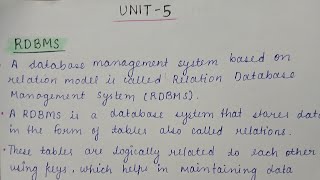
Unit 5 One Shot | Database Management System - Notes
**1. Summary:**
This video is a one-shot review of Unit 5 of the Database Management Systems (DBMS) course, focusing on important topics and previous year questions (PYQs) relevant for the RGPV B.Tech curriculum. The video primarily covers concepts related to RDBMS, including its definition, components, Oracle Apex, Distributed Databases, Data Dictionary, PL/SQL (with branching and looping), and the concepts of cursors, along with their uses, and also exception handling in the Oracle context.
**2. Key Takeaways:**
* **RDBMS Fundamentals:** Understanding the relational model, tables (relations), keys, and the core concepts of RDBMS.
* **Oracle Database:** Overview of Oracle as a powerful RDBMS and its application.
* **Oracle Apex (APEX):** Understanding it as a low-code web application development framework.
* **Distributed Databases (DDB):** Definition, characteristics, advantages, and disadvantages.
* **Data Dictionary:** Its purpose and the information it stores.
* **PL/SQL:** Understanding Branching (IF statements, CASE) and Looping constructs (Loops, While loops).
* **Cursors:** Their purpose, types (Implicit and Explicit), and attributes in PL/SQL.
* **Exception Handling:** Importance of handling exceptions, different types (Predefined, User-defined, and Non-Predefined) and Oracle's mechanisms.
**3. Detailed Notes:**
3.1 Introduction
* The video focuses on Unit 5 of DBMS, specifically targeting important topics and PYQs for the RGPV B.Tech exam.
* Topics not crucial for exam perspective were skipped.
3.2 RDBMS
* **Definition:** A Database Management System based on the relational model.
* **Data Storage:** Stores data in tables (also known as relations), organized with rows and columns.
* **Logical Relationships:** Tables are logically related using keys (primary, foreign) to maintain data consistency, integrity, and accuracy.
* **Relational Model Basis:** The concept is based on the relational model, which organizes data in a structured, organized, and easily understandable format.
* **Example Tables:**
* Student (Roll Number, Name, City)
* Marks (Roll Number, Marks)
* **Attributes:** Roll Number, Name, and City.
* **Rows:** called as tuples in RDBMS.
* **Columns:** The attributes.
* **Relationship:** Foreign keys (e.g., Roll Number in Marks table) connect to the primary key in another table (e.g., Student table), establishing a relationship.
3.3 DBMS vs. RDBMS
* **DBMS:**
* Stores data as files.
* No relationships between tables.
* Individual data element access.
* Does not support distributed databases.
* Stores a smaller amount of data.
* Doesn't apply security with regard to data manipulation.
* **RDBMS:**
* Stores data in a tabular form (tables, rows, columns).
* Relationships between tables.
* Multiple data elements are available at the same time.
* Supports distributed databases.
* Stores large amounts of data.
* Provides security through integrity constraints and ACID properties (e.g., in transactions).
3.4 Oracle
* **Definition:** Refers to Oracle Database, a powerful RDBMS.
* **Developer:** Developed by Oracle Corporation.
* **Usage:** Widely used by banks, universities, government organizations, and large companies for secure data storage and management.
* **Data Storage:** Stores data in tables.
* **Query Language:** Uses SQL for data manipulation (insert, update, delete, retrieve).
* **Concurrency:** Supports multiple users concurrently.
* **Features:** Provides high security, reliability, and performance.
3.5 Oracle APEX (Application Express)
* **Definition:** Oracle APEX (also known as Oracle Application Express or simply APEX) is a low-code, web-based application development framework provided by Oracle.
* **Purpose:** For creating database-centric applications using SQL and PL/SQL.
* **Environment:** Runs within a web browser.
* **Installation:** Installed inside the Oracle database.
* **Performance:** Applications run very close to the database, improving performance and security.
* **Components:**
* App Builder: To Create and Manage Applications, Forms, Reports, Charts, and Dashboards.
* SQL Workshop: Executes SQL and PL/SQL commands; creates tables, views, procedures, and triggers; helps in data logging and exporting.
* Team Development: Supports project tracking and collaboration, manages tasks, bugs, and milestones.
* Packaged Applications: Pre-built applications (e.g., project management, surveys, reporting) that can be easily installed and customized.
* **Advantages:**
* Faster application development.
* No separate application server required.
* Tight database integration.
* Scalable and secure.
* Cost-effective (Oracle database included).
* **Limitations:**
* Primarily suitable for Oracle databases.
* Limitations for heavy graphical or gaming applications.
* Relies on procedural SQL (PL/SQL) for backend logic.
3.6 Distributed Databases
* **Concept:** Combines databases and networks.
* **Definition:** A collection of logically related data physically stored at multiple locations.
* **Data Storage:** Data is stored at different sites (or systems) connected by a computer network.
* **User View:** Appears as a single, unified database to users.
* **Control:** Controlled via a Distributed Database Management System (DDBMS).
* **Benefits:** Provides transparency to users.
* **Characteristics:**
* Data is stored at multiple sites.
* Users access data as if working with a single database.
* Supports local autonomy (each site operates independently).
* Ensures data sharing and coordination.
* **Advantages:**
* High availability. (Failure of one site doesn't stop the system.)
* Improved performance (data can be accessed locally).
* Better reliability.
* Provides scalability.
* **Disadvantages:**
* Complex system design.
* Higher cost of setup and maintenance.
* Data consistency issues.
3.7 Centralized vs. Distributed Databases
* **Centralized Databases:**
* All data is stored at a single, central location.
* Data resides on one server or a single site.
* Database is controlled by one DBMS.
* System becomes unavailable if the central server fails.
* Data consistency is easier to maintain.
* Easier to manage security.
* **Distributed Databases:**
* Data is stored at multiple locations.
* Data is stored at geographically separate sites connected via a network.
* Multiple geographically separate sites.
* Data is managed by a DDBMS.
* System continues to operate if one site fails (with local data).
* Data consistency is more complex.
* Managing security is more complex.
3.8 Data Dictionary
* **Definition:** A central repository of metadata. (Data about data.)
* **Purpose:** Stores information about database structure, constraints, and usage, not the actual data itself.
* **Content:**
* Table Information: Table names, number of rows, number of columns.
* Attribute Information: Column names, data types, sizes.
* Constraints: Primary key, foreign key, unique, and not-null constraints.
* Relationships: Links between tables.
* Indexes: Index names and types.
* Users and Privileges: Access permissions.
* Stored Procedures: Information about stored procedures.
* Triggers.
* Schema structure.
3.9 PL/SQL
* **Definition:** Oracle's procedural extension of SQL.
* **Purpose:** Combines SQL's data manipulation capabilities with procedural programming features (variables, conditions, loops, exception handling).
* **Benefits:**
* Enables writing complex database operations more easily and efficiently.
* Enhances SQL.
3.10 Features of PL/SQL
* Supports procedural programming.
* Allows use of If-Else, loops (While, For).
* Supports variables and constants.
* Provides exception handling for error control.
* Improves performance by reducing network traffic.
3.11 ANSI SQL
* **Definition:** A standardized version of SQL.
* **Standardization:** Defined by the American National Standards Institute (ANSI).
* **Purpose:**
* To make SQL more portable and uniform.
* To reduce dependency on a specific DBMS.
* To ensure consistency in database operations.
* **Components:**
* **Data Definition Language (DDL):** Used to define database structure (CREATE, ALTER, DROP, TRUNCATE commands).
* **Data Manipulation Language (DML):** Used to manipulate data (SELECT, INSERT, UPDATE, DELETE).
* **Data Control Language (DCL):** Used for access control (GRANT, REVOKE permissions).
* **Transaction Control Language (TCL):** Used to manage transactions (COMMIT, ROLLBACK, SAVEPOINT).
3.12 Branching and Looping constructs in PL/SQL
* **Branching:** Uses `IF` statements to control execution flow.
* `IF...THEN...END IF;`
* `IF...THEN...ELSE...END IF;`
* `IF...THEN...ELSIF...ELSE...END IF;`
* CASE statement
* **Looping:**
* **Simple Loop:** `LOOP...END LOOP;` (with `EXIT WHEN` condition)
* **WHILE Loop:**
```sql
WHILE counter <= 5 LOOP
-- statements
counter := counter + 1;
END LOOP;
```
* **FOR Loop:**
```sql
FOR i IN 1..5 LOOP
-- statements (e.g., printing i)
END LOOP;
```
* **EXIT AND EXIT WHEN** statement
* `EXIT WHEN counter > 10;`
3.13 Cursors in PL/SQL
* **Definition:** A pointer that points to a memory area where the results of an SQL query are stored.
* **Purpose:** Allows PL/SQL to process query results one row at a time (necessary when a query returns multiple rows).
* **Benefits:** Helps PL/SQL fetch and work with rows returned by a SELECT statement.
* **Why Cursors are Needed:**
* SQL statements can return multiple rows.
* PL/SQL variables can handle only one row at a time.
* Cursors bridge this gap by handling row-by-row processing.
* **Types:**
* **Implicit Cursors:** Created automatically by Oracle; used for DML statements (INSERT, UPDATE, DELETE, SELECT INTO); no need to explicitly declare or open.
* **Attributes:** `SQL%FOUND`, `SQL%NOTFOUND`, `SQL%ROWCOUNT`.
* **Explicit Cursors:** Declared explicitly by the programmer; used when queries return multiple rows. Programmers control open, fetch, and close operations.
* **Attributes:** `cursor_name%FOUND`, `cursor_name%NOTFOUND`, `cursor_name%ROWCOUNT`, `cursor_name%ISOPEN`.
* **Steps in Cursor Management (Explicit Cursors):**
1. **Declare the cursor:** Define the SQL query (SELECT statement).
```sql
CURSOR C1 IS SELECT Name FROM Student;
```
2. **Open the cursor:** Oracle executes the query and stores the result in memory.
```sql
OPEN C1;
```
3. **Fetch data from the cursor:** Retrieve one row at a time from the result set.
```sql
FETCH C1 INTO v_name;
```
4. **Close the cursor:** Release memory and database resources.
```sql
CLOSE C1;
```
3.14 Nested and Parameterized Cursors
* **Nested Cursors:** A cursor used inside another cursor.
* Used when data from one table depends on data from another table.
* **Parameterized Cursors:** Accepts parameters at runtime.
* Allows the same query to be reused with different values.
3.15 Exception Handling in PL/SQL
* **Definition:** A mechanism used to handle runtime errors in PL/SQL.
* **Purpose:** To catch errors and take corrective actions instead of abruptly stopping the program. It helps a program to handle errors gracefully.
* **Structure:**
* `DECLARE` section: Declarations (variables, cursors).
* `BEGIN` section: Executable statements.
* `EXCEPTION` section: Error-handling code.
* `END;`
* **The `EXCEPTION` section is executed only when an error occurs.**
* **Types:**
* **Predefined Exceptions:** Raised automatically by Oracle.
* `NO_DATA_FOUND`: SELECT statement returns no rows.
* `TOO_MANY_ROWS`: SELECT statement returns more than one row.
* `ZERO_DIVIDE`: Division by zero.
* `INVALID_NUMBER`: Invalid number conversion.
* `DUP_VAL_ON_INDEX`: Duplicate value in a unique index.
* **User-Defined Exceptions:** Defined explicitly by the programmer; used for custom error conditions.
* **Non-Predefined Exceptions:** Errors not named by Oracle; handled using `OTHERS` exception in the exception block.
* **Advantages:**
* Prevents abnormal program termination.
* Handles errors without stopping the program abruptly.
* Ensures the application behaves correctly even when errors occur.
* Helps users and developers understand what went wrong.
* Prevents partial updates.
* Maintains database consistency.
Related Summaries
![[캡컷PC]0015-복합클립만들기분리된영상 하나로 만들기](https://img.youtube.com/vi/qtUfil0xjCs/mqdefault.jpg)

Why this video matters
This video provides valuable insights into the topic. Our AI summary attempts to capture the core message, but for the full nuance and context, we highly recommend watching the original video from the creator.
Disclaimer: This content is an AI-generated summary of a public YouTube video. The views and opinions expressed in the original video belong to the content creator. YouTube Note is not affiliated with the video creator or YouTube.